
Click to download now, finish the installation quickly, and directly unlock the all-round experience
Screenshots





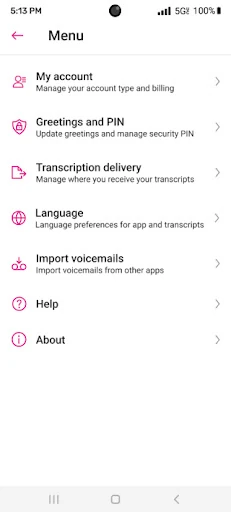

Click to download now, finish the installation quickly, and directly unlock the all-round experience
Visual Voicemail gives Metro by T-Mobile customers an inbox-style way to manage voice messages. Instead of calling a voicemail number and moving through spoken menus, you can see available messages, choose which one to play, and deal with them in your preferred order. That suits people who receive several messages and want to reach the relevant one without listening through everything first.
The main trade-off is convenience versus simplicity. A traditional voicemail system works through the phone keypad; this app presents messages on screen and keeps common actions in one place. You can respond from the interface, update contact details, and check for unread messages through a home-screen widget. Those additions matter most if voicemail is part of your daily work rather than an occasional backup.
Listed in the Business category, Visual Voicemail has 50,000,000+ installs and a 3.73 rating from about 49,328 reviews. Those figures show broad adoption, while the rating suggests the experience is useful but not universally smooth. Its operation depends on Metro by T-Mobile’s service, so its value is tied closely to whether you already use that network.
Choose Visual Voicemail if you want voicemail to behave more like a manageable message list, with optional transcription and at-a-glance unread status. Stick with ordinary voicemail if you want the fewest moving parts and do not need to sort, scan, or respond to messages from a visual inbox.